Case study · Product design
McDonald's
2023
At a glance
The problem to resolve
From campaign instructions sent by PDF — with no way to track what needed doing
Exemple de campagne par PDF

The solution
To one place for every campaign task — always up to date, always at hand
The HQ can send campaigns — with precise targeting per restaurant (McCafé, McDrive, region, or one specific restaurant).
The HQ can send messages to the restaurants through the app.
The restaurant directors can see the tasks they have to do, and check a task when it’s done.
The directors can share the initiatives they take in the app, to inspire other restaurants.
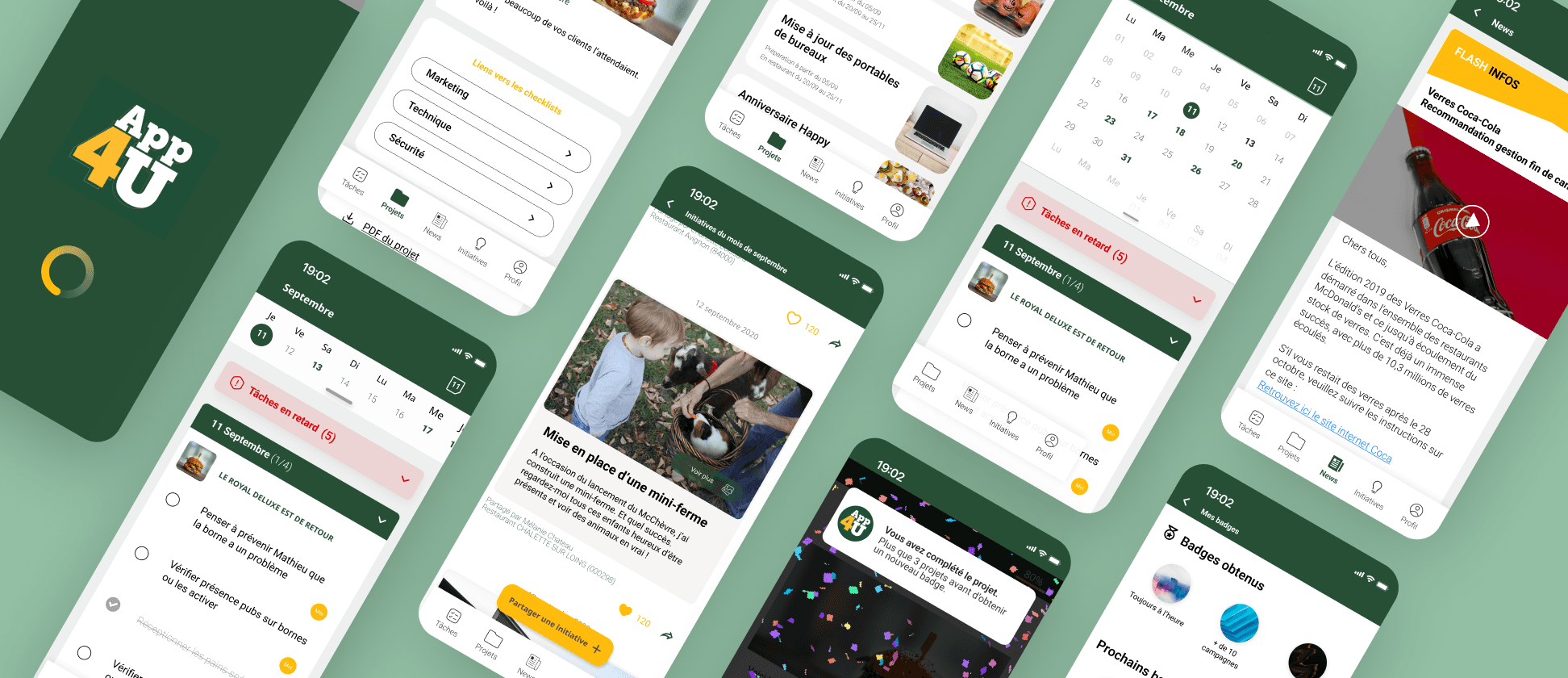
Impact preview
Used by all French restaurants
What I carried out
The activities I led, end to end
User research
Insights from restaurant directors interviews
I interviewed 4 restaurant directors in different cities to understand how they ran campaigns once they received the PDF. I built 2 personas and surfaced new needs — like delegating tasks to sub-managers.
Need for task delegation
Directors don't carry out the tasks themselves — they delegate them to their managers.
Need for visual modernity
Other in-house McDonald's tools didn't feel very modern, which could be unsettling.
Multi-restaurants account required
Some directors are responsible for several restaurants, which impacts the app's workflow.
Like to share operations with other restaurants
Directors like to share pictures of their operations with other restaurants.


Stakeholder workshops
Insights from HQ stakeholders interviews
All the content had to live in a back office. I ran a workshop with the people who build the PDFs so they could detail every feature they’d need.
Include assets in projects & checklists
Each PDF includes images, tasks the manager checks off, and links to other documents or internal sites.
Campaigns depend on restaurant type
McCafé, McDrive, Uber Eats delivery… every restaurant is different, so HQ must target by specificity.
Different launch dates
Some regions or restaurants launch before others — task due dates differ per restaurant.
Framing the roadmap
Prioritize a MVP
01
Develop a prioritization list from everything I collected.
02
Run a workshop with internal IT to estimate an effort rate for each user story.
03
Moderate a workshop with the client to define their MVP priorities.
04
Create a roadmap for the MVP — and for the future.
Information architecture
Align with the client around a sitemap
To start from a shared overview, I designed the sitemap and the page narrative — and checked alignment with the client before any UI.

Mockups
The product, feature by feature
Track your daily task and delegate what you need

Task follow-up. The dates are highlighted if a task is to be done.

All project in 1 view. To discover the future campaigns.
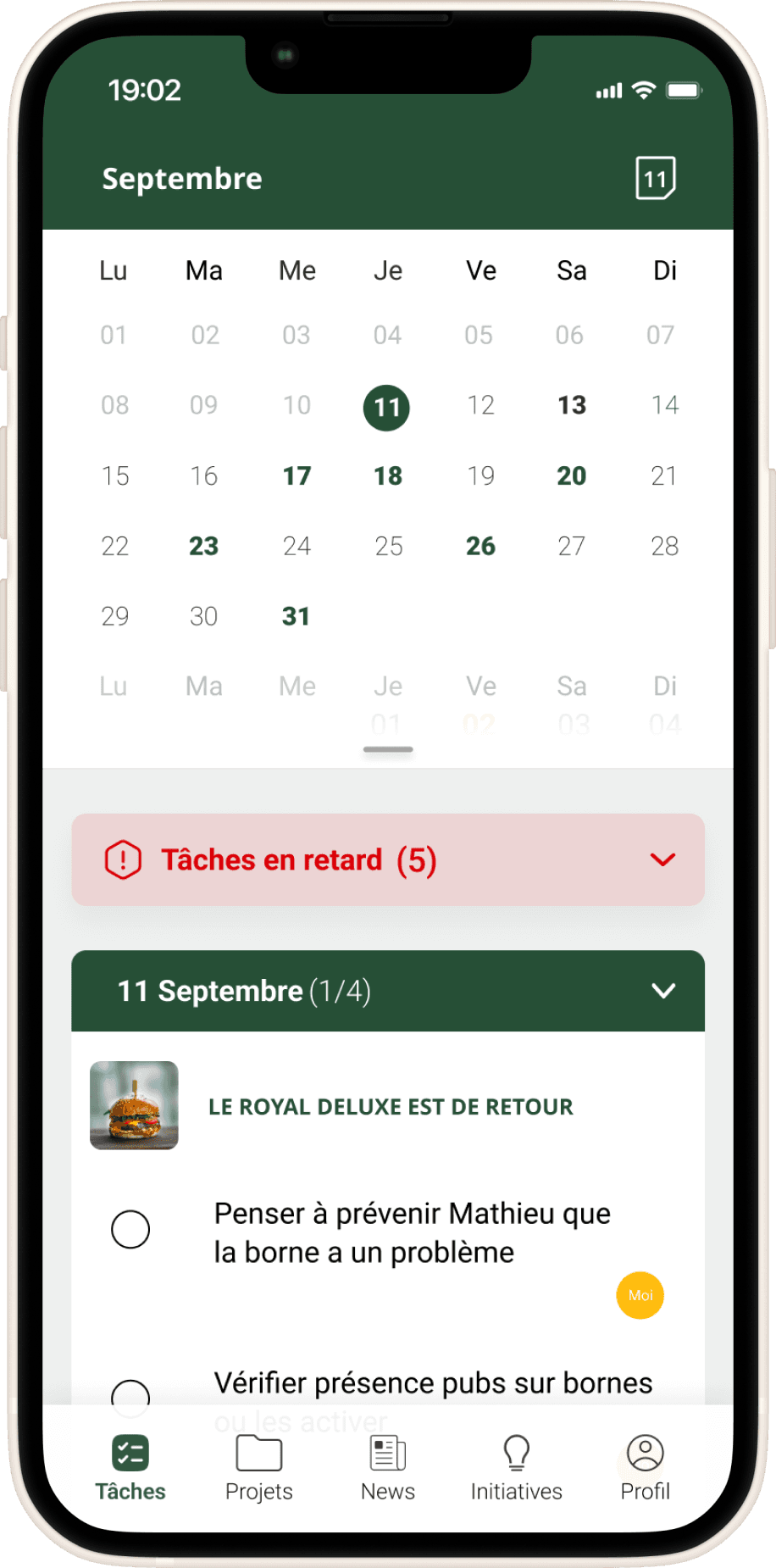
Calendar expandable. I can expand the date field, to have a good overview of the future

Delegation. I can assign tasks to my sub-managers

My task follow-up. The task I assigned to myself are more highlighted (in yellow) than the others
Keep up to date with HQ and other restaurants


Keep in touch with Headquarter.
All in one dedicated tab always on hand.

Discover. I can browse other restaurant initiatives.
Sharing. I can share my own initiative.

Show your love. Possibility to like the initiatives.
The results
Now used by all French restaurants
Next case study
Redesigning an insurance website to convert
Keep exploring
Back to all work
Axel Meimoun
© 2026 Axel Meimoun — All rights reserved.